
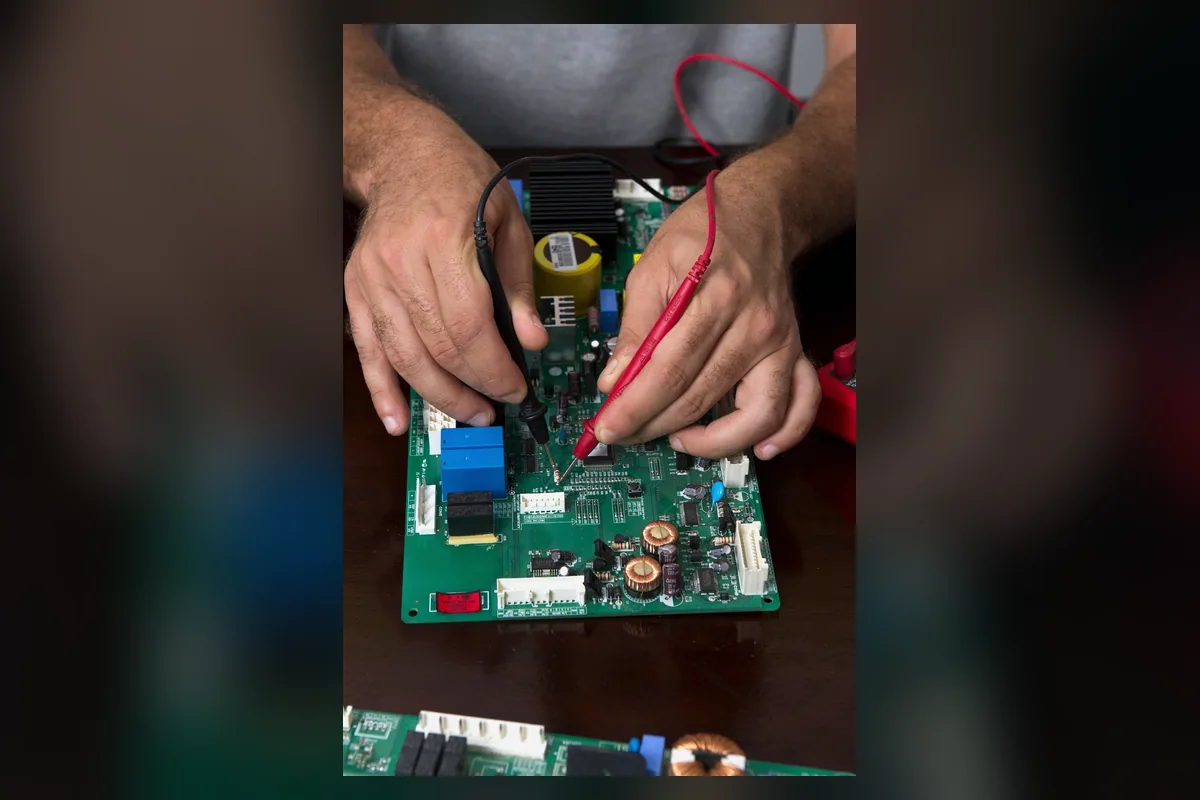
New to test methods? Start with our PCBA testing guide covering ICT, FCT, AOI and X-ray.
A functional test is only repeatable when the buyer and manufacturer share the same definition of “pass.” A bench engineer may power a board, watch a waveform, click through software, and know from experience whether the result is reasonable. Production needs something more controlled: stable connections, defined stimulus, numeric limits, software versions, operator steps, failure codes, and records linked to the built unit.

The handover from development test to production FCT is therefore an engineering deliverable, not a final note added to the purchase order. If it is incomplete, the supplier may quote only basic power-on testing, discover fixture work after assembly begins, or pass boards that meet a simplified check but not the real product requirement.
Functional test does not replace first article inspection. Use the first article inspection checklist to check revision, parts, setup and workmanship on the first boards.
Define the purpose of every test layer
AOI, X-ray, ICT or flying probe, programming, and FCT answer different questions. AOI can check visible placement and solder conditions. X-ray can examine hidden joints. ICT or flying probe can find selected electrical and assembly faults. Functional test checks whether the assembled hardware behaves as intended under defined conditions.
Do not ask one method to replace another without analyzing coverage. A power-on FCT may miss wrong passive values that do not affect the tested mode. AOI cannot prove firmware behavior. A coverage matrix should map important failure modes to the test or inspection step expected to detect them.
Convert an engineering procedure into a production specification
For each test, document the input, sequence, expected response, units, lower and upper limits, settling time, retries, and failure action. Replace phrases such as “voltage looks normal” with numeric limits and measurement points. Identify whether limits are design requirements, engineering guard bands, or provisional pilot values awaiting characterization.
Include safety and protection requirements: current-limited power-up, polarity protection, discharge time, high-voltage boundaries, ESD handling, thermal stabilization, and emergency stop conditions where applicable.
Treat the fixture as a tracked product
A functional fixture has mechanical, electrical, and software configurations. Assign it a revision and a bill of materials. Record drawings, wiring, connector part numbers, pogo-pin map, instrument configuration, calibration needs, and replaceable wear items. If several fixtures are built, give each a unique identity.
The fixture should prevent incorrect insertion or make it immediately detectable. Connectors and cables should be keyed or clearly labeled. Test points should tolerate the expected cycle count. Access for maintenance matters because a fixture that is difficult to service will create downtime or unapproved workarounds.
Use golden units carefully
A known-good unit is valuable for fixture checkout, but it is not a substitute for tracked limits. A golden unit can drift, be damaged, carry a different hardware revision, or run different firmware. Maintain at least one protected reference unit and, where practical, a second comparison unit. Record serial number, hardware revision, firmware, calibration or characterization status, storage location, and last verification date.
Use the golden unit to confirm that the fixture and software are operating, then use numeric criteria to accept production boards. If the golden unit fails, stop and diagnose the test system before changing production limits.
Control software, firmware, and data
Test software must have a version, release note, and approved configuration. The same applies to firmware loaded during test. When the station also loads firmware or assigns identity, define that scope in the PCBA programming and serialization handover instead of treating it as an undocumented fixture action. Record the test-software version, fixture ID, operator or station, time, unit serial number, hardware revision, firmware version, result, measurements, and failure code.
If a board is retested after rework, preserve both results or explicitly link the superseded result to the final rework or scrap decision. A simple pass-only file loses information that could reveal fixture wear, marginal limits, recurring assembly defects, or design sensitivity.
Characterize limits during EVT and pilot builds
Early limits are often based on design calculations or a small number of prototypes. During EVT and pilot production, collect measurements across multiple units, component lots, temperatures, and fixture cycles as appropriate. Review the distribution before tightening or widening limits.
Do not widen a failing limit merely to improve yield. First determine whether variation comes from the product, component tolerance, test method, contact resistance, warm-up time, instrument accuracy, or fixture wear. Any limit change should be approved and revision-controlled.
Plan maintenance and false-failure containment
Pogo pins, connectors, cables, relays, switches, loads, and reference instruments wear. Define a preventive-maintenance interval based on cycles or time. Keep critical spares and a quick fixture-verification routine. Track “no fault found” and retest-pass rates because they often reveal unstable contacts or procedures.
When the station reports a failure, the traveler should define whether the unit is retested, moved to diagnosis, quarantined, or reworked. Limit uncontrolled repeated testing; repeated contact can turn an intermittent station issue into a false pass.
If your boards go into a finished product, our box build assembly covers the enclosure, cables, final test and packing in the same factory.
Clarify responsibility before the purchase order
- Who designs and pays for the fixture and test software?
- Who owns the completed fixture, source files, and instrument configuration?
- Where will the fixture be stored between orders?
- Who approves repairs, duplicate fixtures, or software changes?
- What happens to the fixture and data if production transfers to another site?
Fixture NRE, recurring test time, maintenance, calibration, and data retention should be separate quotation lines. This lets the buyer compare proposals without hiding test cost in the assembly price.
Production-handoff checklist
Release the coverage matrix, test procedure, numeric limits, fixture package, golden-unit record, test software, firmware, safety notes, training method, failure codes, data format, maintenance plan, and responsibility terms together. Run a first-article correlation in which buyer and supplier review the same units and results before batch release.
For help turning a bench procedure into a production test scope, send your files and current checks through the PCBA RFQ engineering review. You can also compare inspection and test records on the quality records page.
Verify a transferred or restored fixture before accepting production results
Treat relocation, software restoration and replacement interfaces as tracked events. The transferred hardware and a backup archive are inputs to verification; their presence does not establish that the original measurement and coverage claims still apply.
On small screens, scroll the table sideways to compare columns.
| Item | Records to reconcile | Acceptance question |
|---|---|---|
| Hardware and interfaces | Fixture/adapter IDs, wiring, instruments and relevant equipment status | Is this the reviewed physical configuration? |
| Software and limits | Released program, dependencies, settings, image/limit references | Can the intended version be reconstructed? |
| Verification method | Tracked references/challenges and required repeatability/coverage records | Does the agreed verification support the intended claims? |
| Data and recovery | Unit IDs, original/repeat records and failed/incomplete-stage handling | Can results be retrieved and interpreted after restart? |
Hypothetical transfer: a spare computer runs the same program file but uses a different driver configuration. Identify the difference and perform the authorized verification before accepting production results. An identical file checksum does not describe every instrument, dependency or setting used by the station.
Agree responsibility and availability of backups, source/configuration files, licenses, maintenance information and export formats before transfer is needed. Handle confidential assets through the approved custody process. Keep the return-to-service decision and its limitations with the fixture record; do not use a passing reference unit as a substitute for every coverage or calibration requirement.